 Quotiva
Estimate, sign, invoice, get paid. All from your phone.
Describe the job in one sentence and Quotiva drafts the estimate. Your customer signs it on their phone, and pays the invoice by card or bank with a tip. You decide who pays the card fee.
Built for the trades that quote on the spot
Everything between the handshake and the money
Nothing else. No schedules, no dispatch, no CRM to maintain. Just the four screens a one-truck business actually uses.
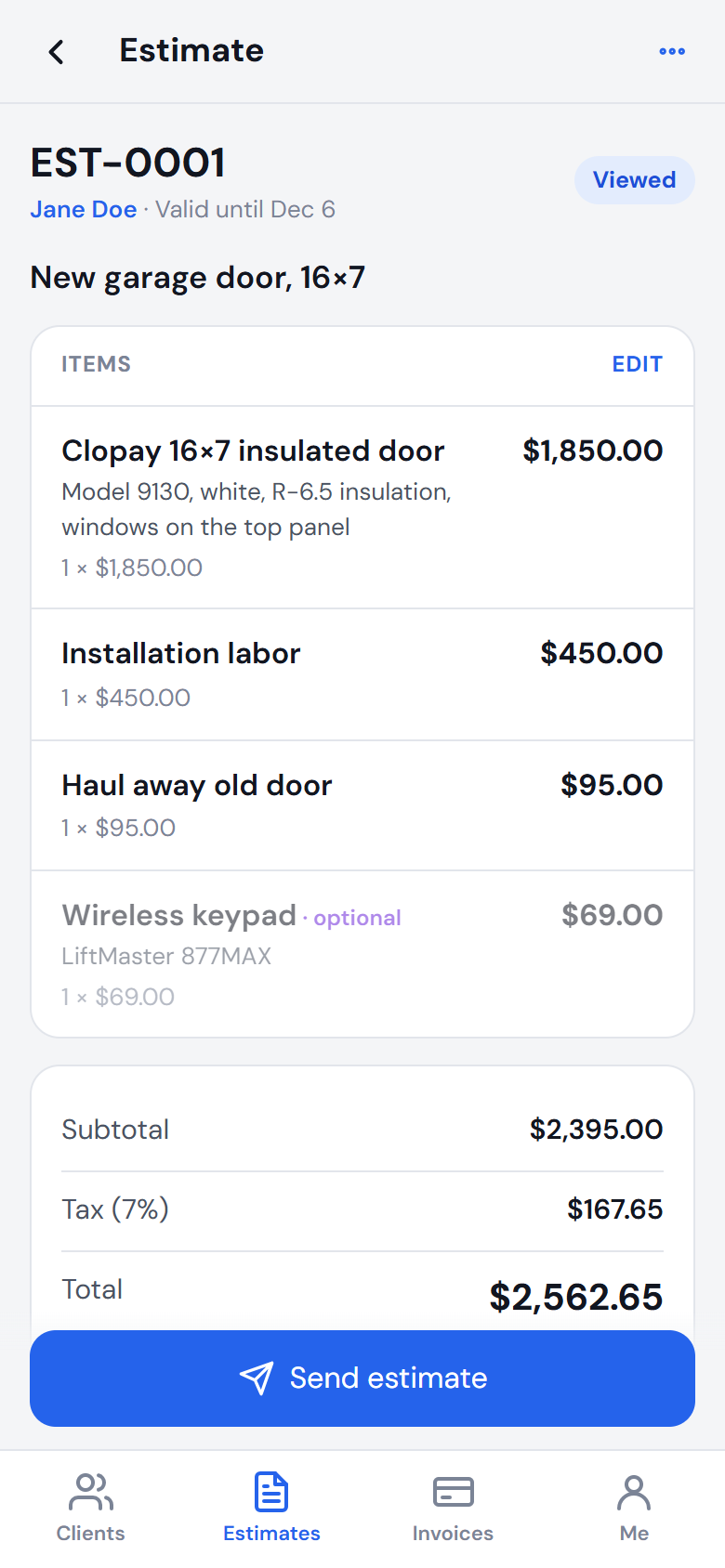
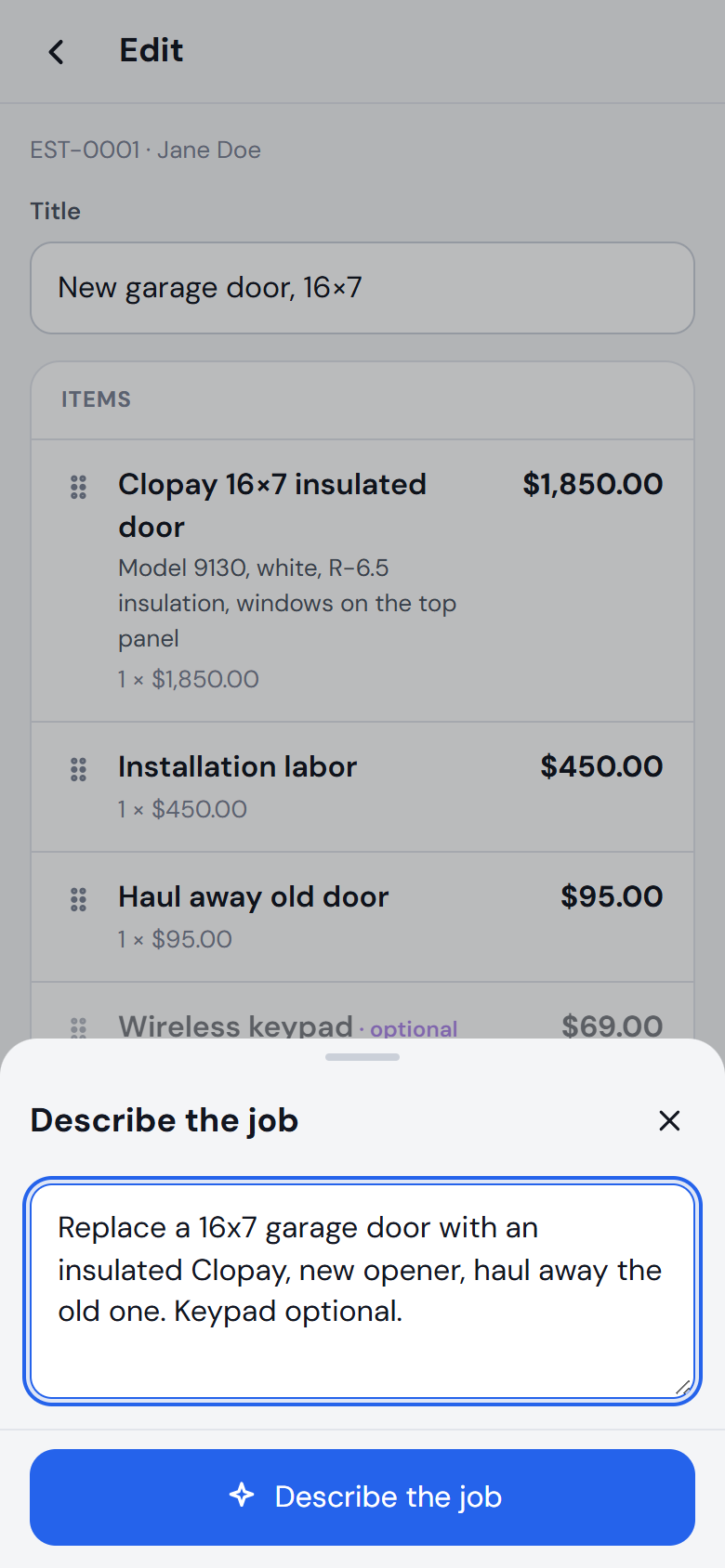
Type the job. Get the estimate.
"Replace a 16×7 garage door with an insulated Clopay, new opener, haul away the old one." That's the whole estimate. Quotiva drafts the items at the prices you actually charge, learned from your own past jobs.
- Optional add-ons the customer can tick themselves
- Deposits, discounts, tax, one tap each
- Edit any line; your price book fills in the rest
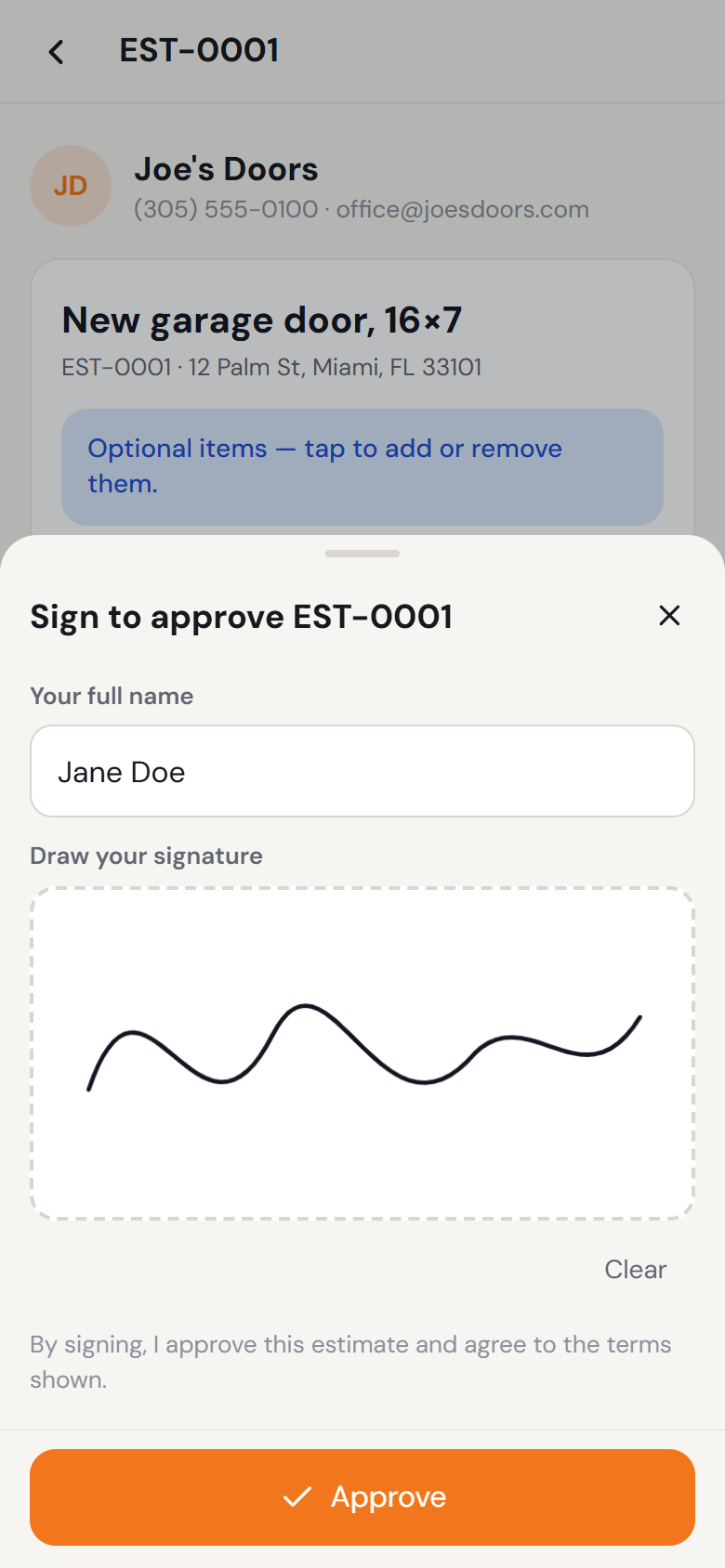
Send it by text, WhatsApp or email. They sign in 30 seconds.
Your customer gets a private page with your logo, no app and no account. They read the estimate, pick the add-ons, draw their signature, and you get the approval instantly.
- Share from your own number, your own WhatsApp
- Signature, name, time and terms stored with every approval
- Deposit collected right after signing
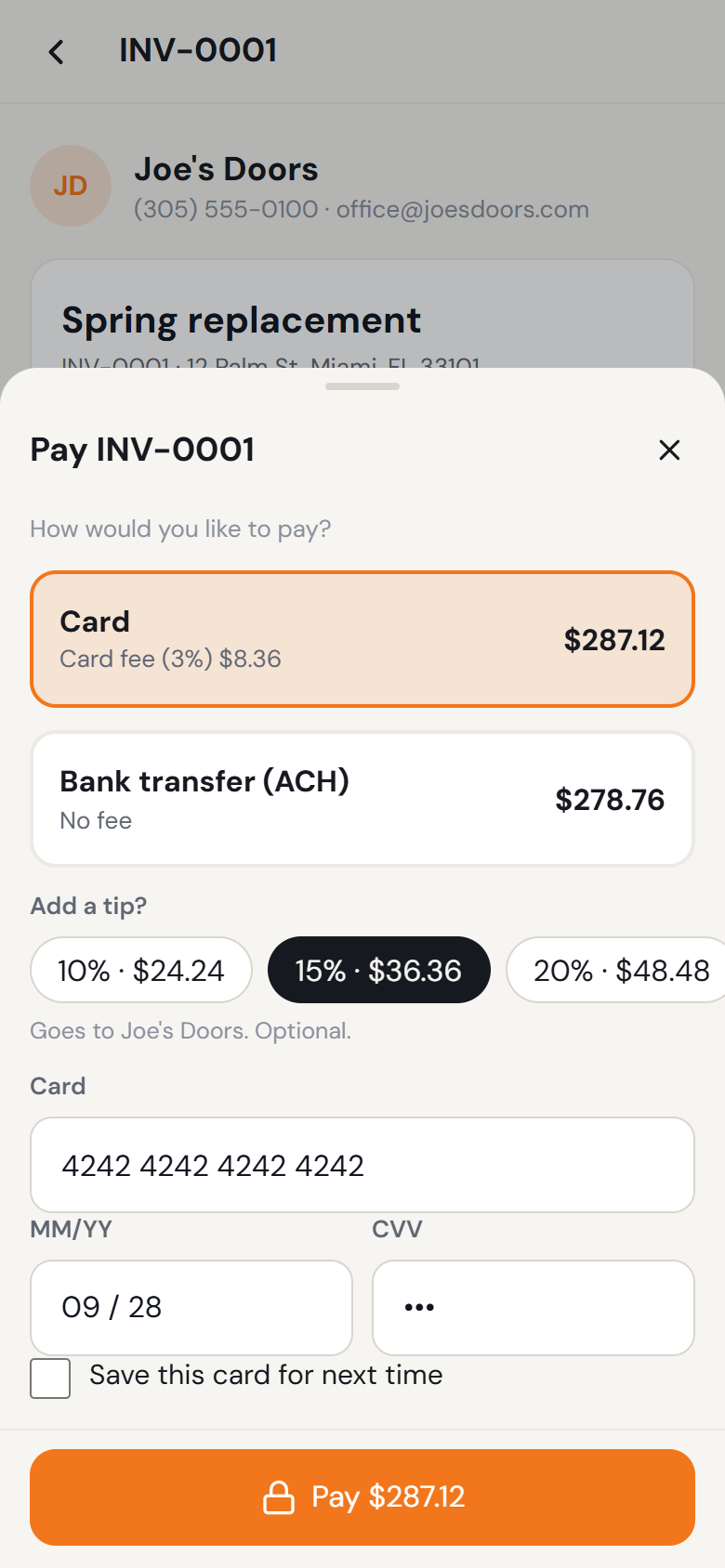
Card or bank. Tips included. You choose the fee.
One tap turns the signed estimate into an invoice. Customers pay by card or ACH on the same page. Add the card fee to their total, or absorb it. Your call, and you set the percentage.
- Tips at checkout: 10%, 15%, 20% or any amount, straight to you
- 2.95% + 30¢ per card payment, bank transfers cheaper
- Saved cards, receipts, partial payments, refunds
Who owes you, who's late, what came in this month.
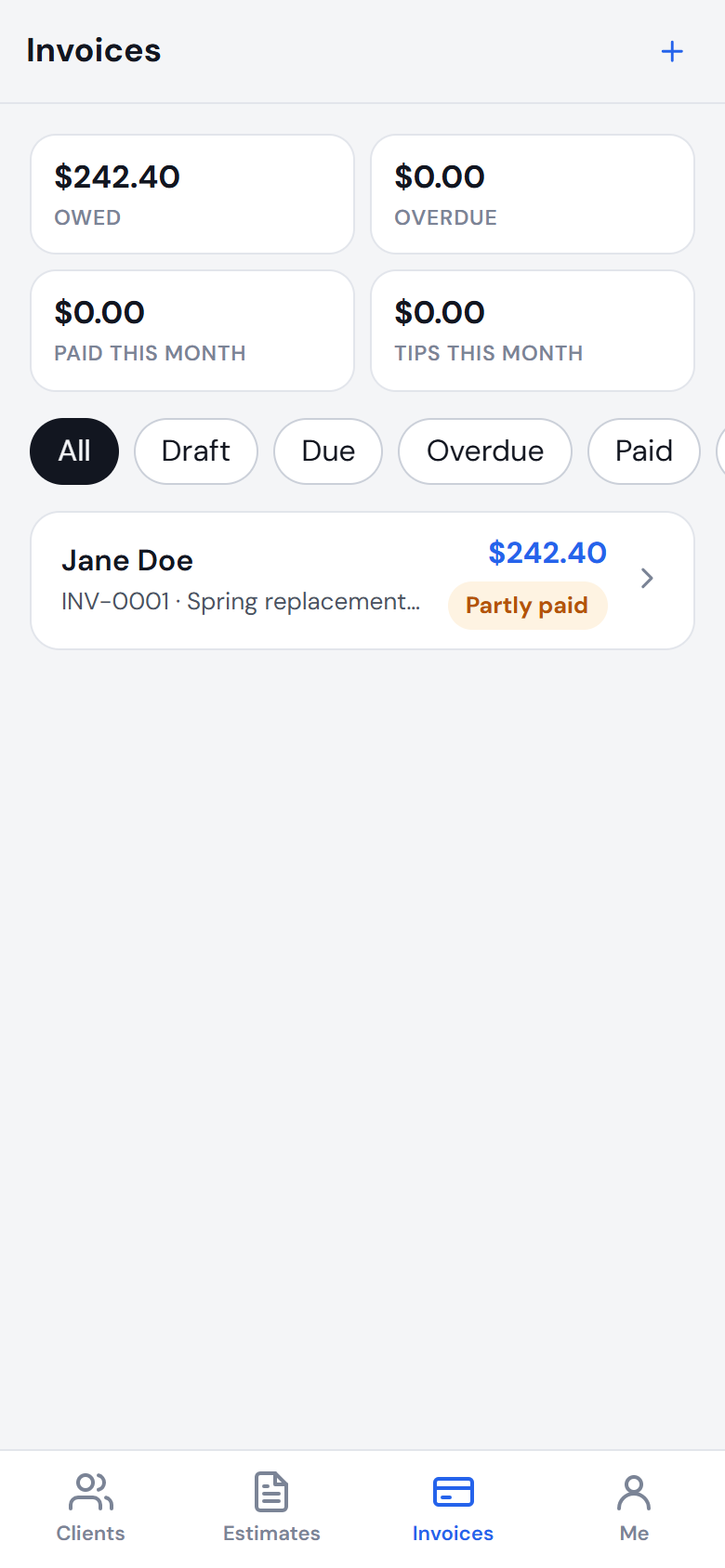
The Invoices tab is your whole back office: owed, overdue, paid this month and tips, with every invoice one tap away. Record cash, check or Zelle payments by hand so the books stay honest.
- PDF of any estimate or invoice, in your customer's language
- Tracked changes on bills you've already sent
- Never under what was already paid
Three minutes to your first estimate
Sign up
Email, password, your trade. Pick a language: English, Spanish or Hebrew.
Your business
Name, phone, logo and tax rate. It's on every document from now on.
Card payments
A 2-minute merchant application. Approved in 1–3 business days. Or skip it and add it later.
Start working
Add a client and describe the job. The estimate is on their phone a minute later.
Small details that make the difference
Choose your card fee
Pass 3% to the customer, or 2%, or nothing. Shown as its own line so nobody is surprised.
Tips, without asking
The tip chips are right there at checkout. Customers who are happy tip. You keep all of it.
Legally solid approvals
Every signature is stored with the exact terms shown, the time and the device.
Optional items
Offer the keypad, the second remote, the extended warranty. The customer ticks what they want.
Three languages
Your app in your language, your customer's page in theirs. Hebrew runs right-to-left, PDFs too.
Works on a bad signal
Installs to your home screen like an app. Opens instantly, even in a basement.
Simple pricing. Free for 14 days.
Every plan includes card and bank payments, tips, signatures, PDFs and all three languages. Card payments are 2.95% + 30¢ on every plan.
- Unlimited clients
- Card & ACH payments, tips
- Signatures & PDFs
- Everything in Solo
- AI estimate drafting
- Price book learned from your jobs
- Everything in Pro
- No "Powered by Quotiva" on your customer pages
- Priority support
Cancel any time. Change plans any time. No setup fee.
Start your free 14 days
No card needed to start. Your first estimate can be on a customer's phone in the next ten minutes.
Already have an account? Sign in
Questions
Do my customers need an app or an account?
No. They get a private link. They confirm the last four digits of their phone number and they're in. Works on any phone.
How do card payments work?
During setup you fill in a short merchant application (business details, owner, bank account for deposits). Our payment partner approves it, usually in 1–3 business days. From then on, customers pay by card or bank transfer on the invoice page and the money is deposited to your bank. 2.95% + 30¢ per card payment on every plan.
Can I pass the card fee to the customer?
Yes. In Me → Payments choose "Customer pays" and set the percentage. It appears as its own line when they pay. Bank transfers never carry a fee. Check your state's surcharge rules; most allow it with disclosure, which Quotiva shows.
What about tips?
When a customer pays an invoice online they can add 10%, 15%, 20% or any amount. It's deposited with the payment and shown separately in your Invoices tab. You can switch tips off.
Does it do scheduling, dispatch, GPS…?
No, on purpose. Quotiva is the money part: estimate, signature, invoice, payment. If you need a full field-service suite, this isn't it. If you need to get paid faster with less typing, it is.
Which languages?
English, Spanish and Hebrew for you and for your customers, independently. A Spanish-speaking customer sees their page and PDF in Spanish even if your app is in English.
What happens after the free trial?
Your plan's monthly price. You can change or cancel any time from the app; cancelling stops future renewals.